DIY keyboard project
DIY keyboard projectDate of publication: 02-12-2025 🕒 5 min read
In this project, you’ll build a simple musical keyboard using an Arduino UNO R3 and a piezo buzzer. You’ll learn how to generate sound using the buzzer and control different musical notes by pressing buttons.
This project is great for exploring the basics of sound, frequency, and how different notes are produced.
1. Introduction
Music is a universal form of expression, and with Arduino, you can create your own musical instrument. This project uses a piezo buzzer, which produces sound by vibrating.
By controlling the speed of the vibrations, you can produce differentt pitches, allowing you to play music. You will build a small keyboard with buttons thateach producing a different note, just like the keys on a piano.
2. Components needed
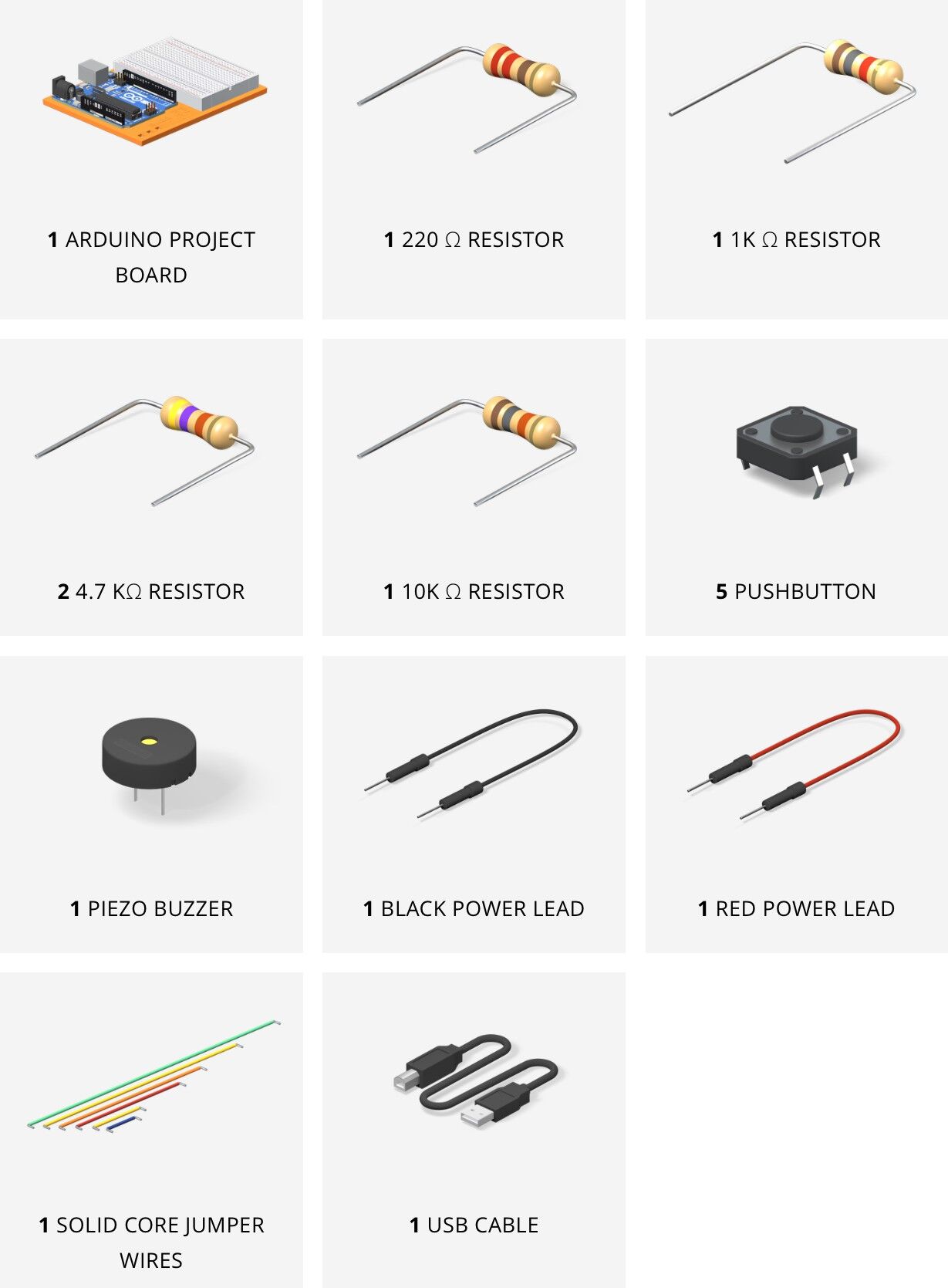
For this project, you will need the following components:
- Arduino UNO R3
- Piezo buzzer
- Jumper wires
- Resistors (220Ω, 1KΩ, 4.7KΩ, and 10KΩ)
- Push buttons (5)
All these components are included in the Arduino Student Kit.
3. How the piezo buzzer works
A piezo buzzer works like a tiny drum. Inside the buzzer, there is a small ceramic disk that vibrates when electricity passes through it. The speed of these vibrations determines the pitch of the sound.
Faster vibrations create higher-pitched sounds, while slower ones create lower-pitched sounds. By controlling the vibration speed with the Arduino, you can play dfferent musical notes.
4. Building the circuit
Set up the buttons: place five push buttons on the breadboard. Each button will act like a key on a piano, producing a different note when pressed.


Connect the buzzer: place the piezo buzzer on the breadboard. One pin of the buzzer will be connected to digital pin 8 on the Arduino, and the other pin will go to the ground.


Resistors and connections: attach resistors to each button to control the signal going into the Arduino. Connect the first button to pin A0 on the Arduino.
The other buttons will be connected to ground and voltage through different resistors (220Ω, 1KΩ, and 4.7KΩ) to generate distinct signal levels for the Arduino to read.
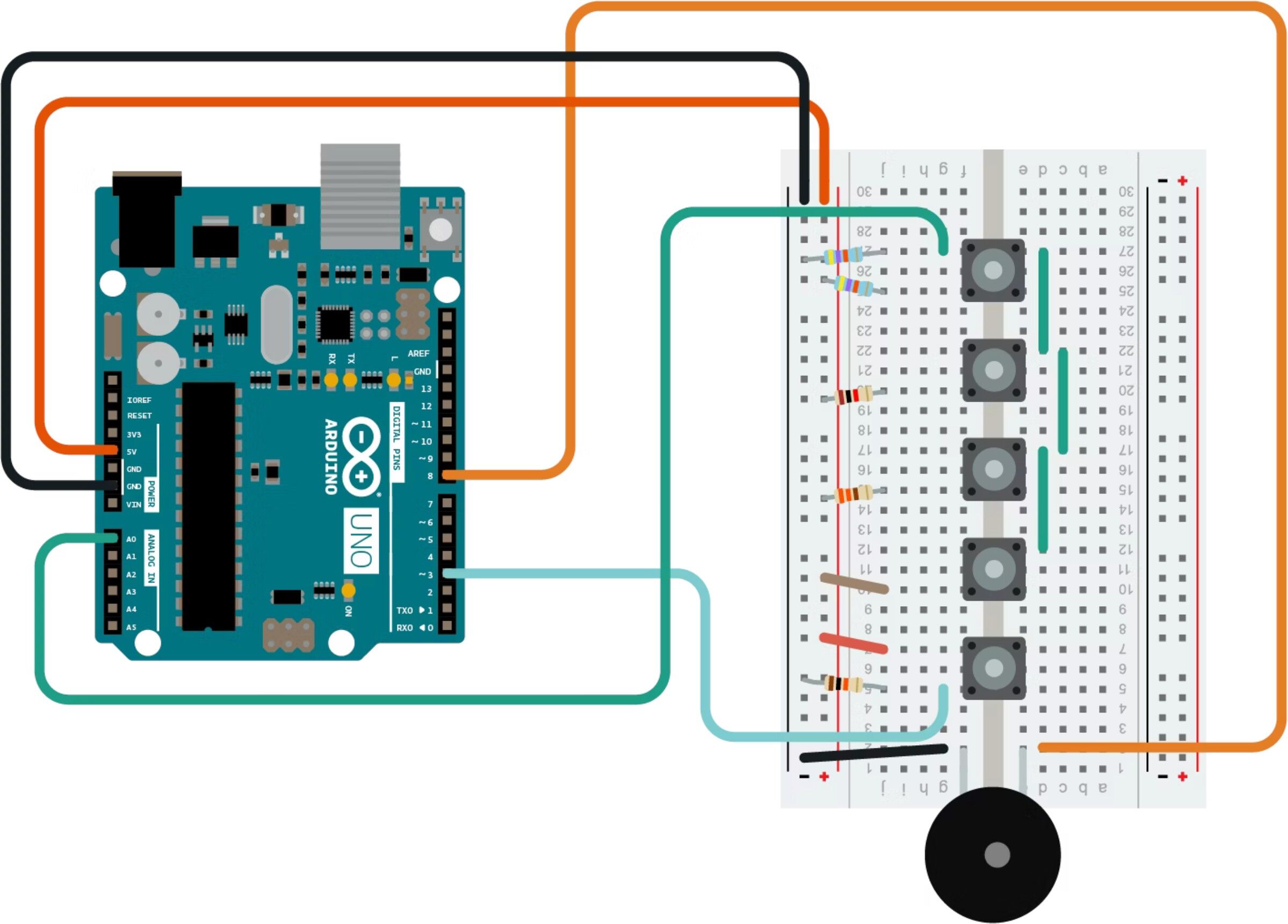
5. Programming
Connect your Arduino UNO R3 to the PC using the USB cable and open up the Arduino IDE.
You can download the code from this link: >>LINK<<
You can now compile and upload the code to your board.


6. Testing the keyboard
After uploading the code to the Arduino, press each button to hear its corresponding note. If you find that two buttons produce the same note, you can adjust the resistor values or the thresholds in the code.
Try playing simple songs like “Twinkle, Twinkle, Little Star” or “Mary Had a Little Lamb” with your new Arduino keyboard.
7. Conclusion
This project is a fun and interactive way to learn about sound, frequency, and how electronic components such as buzzers and buttons can be used to create music. You’ve built a basic keyboard and programmed it to play music using the Arduino. From here, you can experiment with different sounds or even create more complex instruments by adding more buttons or controlling other variables like volume.
You now have your very own Arduino-powered musical instrument!
Transfer Multisort Elektronik (TME) is one of the world’s largest global distributors of electronic components, electrotechnical parts, workshop equipment, and industrial automation. The catalog includes over 1,500,000 products from 1,300 leading manufacturers. TME’s modern logistics centers in Łódź and Rzgów (Poland), with a combined area of over 40,000 m², ship nearly 6,000 packages daily to customers in more than 150 countries.
TME also invests in the development of knowledge and skills of young engineers and electronics enthusiasts through the TME Education project, and supports the tech community by organizing the TechMasterEvent series, promoting innovation and experience exchange.